
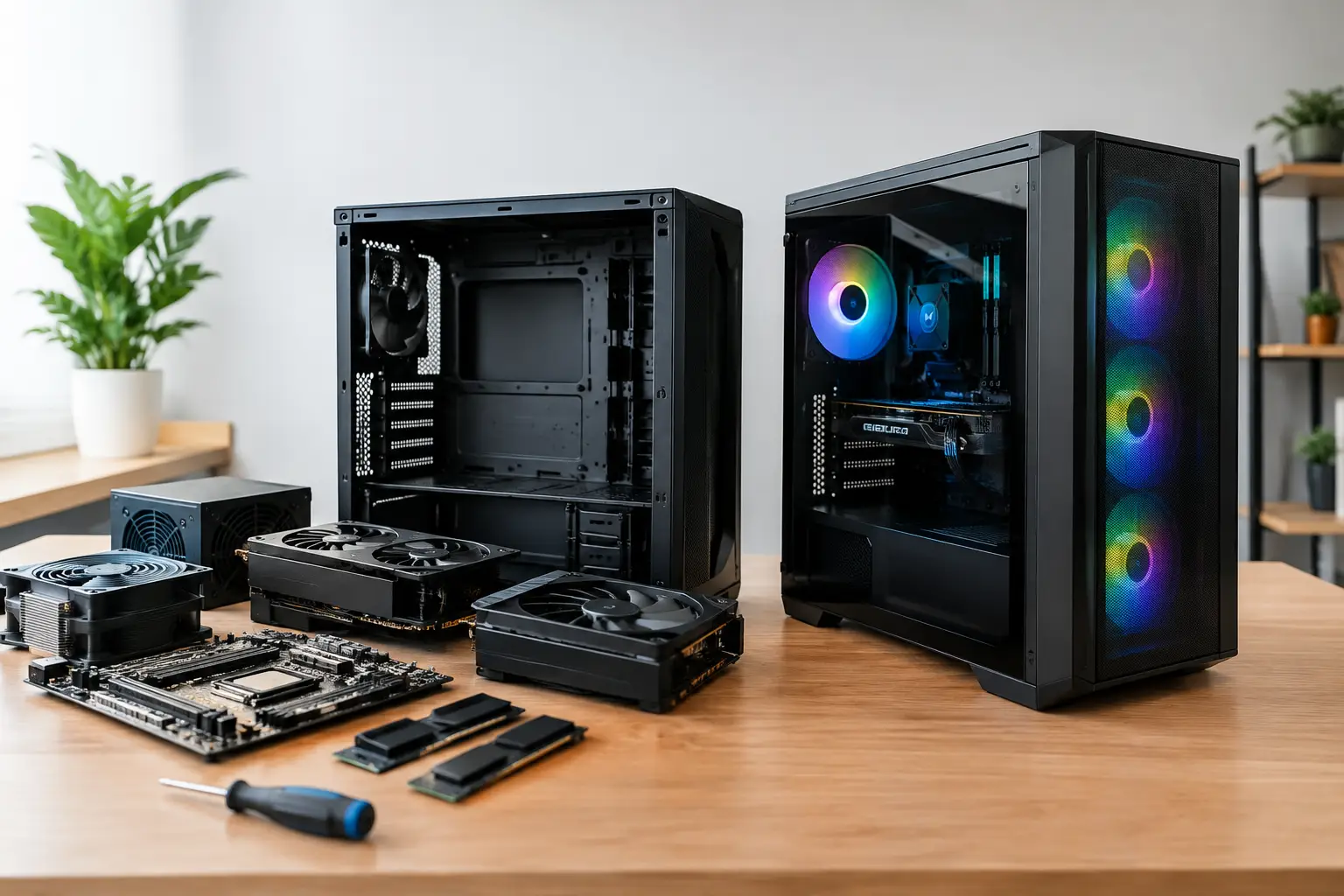

A computer that freezes during a client call, takes ten minutes to open an accounting file, or cannot handle a child’s schoolwork is more than an inconvenience. It costs time and creates unnecessary stress. The custom PC versus prebuilt decision matters because the right choice depends less on what looks impressive on a store shelf and more on what you need the computer to do every day.
For some people, a prebuilt computer is the fastest route to a working system. For others, a custom PC avoids paying for parts they will never use while delivering better performance where it counts. The best answer comes from looking at your work, your budget, your existing equipment, and how much personal support you want after the computer is set up.
Custom PC Versus Prebuilt: The Real Difference
A prebuilt PC is a complete computer assembled by a large manufacturer or retailer. It arrives with an operating system installed, basic components selected, and usually a standard warranty. You choose from a limited group of models, often organized around broad labels such as home, business, gaming, or all-in-one.
A custom PC is built around a specific purpose. The processor, memory, storage, graphics capability, case, power supply, and connectivity are selected to match the job. That does not mean every custom computer needs flashy lights or high-end gaming hardware. A well-planned custom system for a home office may look simple on the outside while being much faster, quieter, and easier to upgrade than a typical retail model.
The biggest difference is control. With a prebuilt computer, the manufacturer decides where to save money and where to add features. With a custom build, you can direct the budget toward the parts that affect your actual experience.
When a Prebuilt Computer Makes Sense
Prebuilt computers are a reasonable option when your needs are basic and immediate. If you use email, web browsing, streaming, word processing, and occasional video calls, a reputable prebuilt desktop can be enough. It can also be the right choice when you need a computer right away and do not expect specialized software or major future upgrades.
The convenience is real. The machine is assembled, the operating system is loaded, and there is generally one manufacturer to contact if a component fails during the warranty period. For a household that wants a straightforward replacement for an aging computer, this can reduce the number of decisions involved.
Still, prebuilt does not automatically mean trouble-free. Many lower-priced systems use limited power supplies, minimal memory, slower storage drives, or proprietary parts that make upgrades difficult. A computer may look like a bargain until it begins slowing down under normal multitasking. Adding memory or a larger drive later can be more complicated than expected, especially in compact desktops and all-in-one units.
Before buying a prebuilt PC, look beyond the processor name. Check how much RAM it includes, whether it has a solid-state drive rather than only a traditional hard drive, how many USB ports are available, and whether it can support an additional monitor. These details often have more effect on daily usability than a marketing label on the box.
Why a Custom PC Can Be the Better Long-Term Value
A custom PC is often the better choice when the computer has a clear job to perform. Small-business owners may need reliable performance for bookkeeping, customer records, remote access, and multiple displays. Creative professionals may need extra memory and fast storage for photo, video, or design work. Families may need one dependable system that can handle schoolwork, home finances, media, and occasional gaming without becoming outdated in a year.
Instead of paying for a generic package, you can put the money where it helps. A faster solid-state drive can dramatically improve startup and file-loading times. More memory can prevent slowdowns when several browser tabs, spreadsheets, and applications are open. A better power supply and cooling setup can improve reliability and reduce noise.
Custom systems are also easier to maintain when they are built with standard, quality components. If storage needs grow, a drive can be added. If software becomes more demanding, memory can often be expanded. If a graphics card or network adapter needs to change, the system does not necessarily have to be replaced.
That flexibility matters for businesses trying to control technology costs. Replacing a whole computer every few years is expensive and disruptive. A properly configured custom PC can remain useful longer because it can be upgraded in practical stages.
Cost: Cheaper Up Front Is Not Always Cheaper
A prebuilt PC may have a lower purchase price, particularly during major sales. Large manufacturers buy components in volume, and that can create attractive pricing. If the system meets your needs as delivered and will likely remain adequate for several years, it can be a smart purchase.
But price comparisons need to be honest. Some prebuilt systems include components that are difficult to identify from the product description, such as a no-name power supply, a slower drive, or a motherboard with few expansion options. The computer works, but its useful life may be shorter than you expected.
A custom PC may cost more initially because the parts are chosen for quality, compatibility, and the workload involved. However, it can offer stronger value if it reduces downtime, avoids an early replacement, and allows affordable upgrades later. For someone who relies on a computer to earn a living, reliability is not an extra feature. It is part of the cost calculation.
The right budget is not the lowest number. It is the amount that buys a system capable of doing the job without constant delays, crashes, or limitations.
Support and Setup Matter More Than Most Buyers Expect
A new computer is rarely ready the moment it comes out of the box. Files may need to be moved from the old machine. Email accounts, printers, scanners, software licenses, security tools, shared folders, and wireless connections may all need attention. If the old computer is failing, protecting and transferring data becomes even more urgent.
With a prebuilt PC, support usually starts with the manufacturer. That can work well for a straightforward hardware issue, but it may not help much with a home network problem, a printer that will not connect, or business software that needs to be configured correctly.
With a custom system assembled and set up by a local technician, you have a clearer point of contact. The person who understands the hardware can also help connect the system to your network, transfer data, install protection, and make sure it works with the devices you already depend on. The IT Professionals builds computers around real customer needs, not a warehouse checklist, and can help when the setup extends beyond the tower itself.
For many customers, that direct support is the deciding factor. A computer is not useful because its specifications look good. It is useful when it is connected, protected, fast, and ready for the work waiting on it.
Choose Based on the Work, Not the Label
A home user who primarily streams, emails, and pays bills may be well served by a quality prebuilt desktop with sufficient memory and a solid-state drive. An executive working across multiple screens, large presentations, cloud files, and video meetings may benefit from a custom configuration designed for consistent multitasking.
A small business with specialized applications should be especially careful. Software for bookkeeping, design, medical administration, real estate, point of sale, or remote access may have requirements that are easy to overlook. Buying a computer solely because it is labeled business-class does not guarantee it will handle the software, storage, monitors, and connectivity your operation requires.
Gamers and content creators also benefit from customization, but not every component needs to be top-tier. The goal is balance. Pairing an expensive graphics card with too little memory or slow storage wastes money. Building around the software and games you actually use produces a better experience than chasing the highest specifications available.
Questions to Answer Before You Buy
Start with the practical issues. What programs must run well? How many people use the computer? Do you need one monitor or several? Are your files stored locally, in the cloud, or both? Will you need to connect printers, external drives, cameras, or specialized equipment?
Also consider how long you expect to keep the system. A computer bought for a short-term need can be simple. A computer meant to support a growing business or a busy household for five years deserves more planning. Memory, storage, backup options, and upgrade room should be part of the conversation from the beginning.
Do not overlook data migration and backup. If the old computer contains years of photos, tax documents, client files, or email, the move should be handled carefully. A new PC does not solve the problem if critical information is left behind or copied without a reliable backup.
A good computer purchase should feel calmer after it is made, not more complicated. Whether you choose a prebuilt model or a custom system, choose the option that fits your real workload, leaves room for the next few years, and gives you someone dependable to call when technology stops cooperating.