
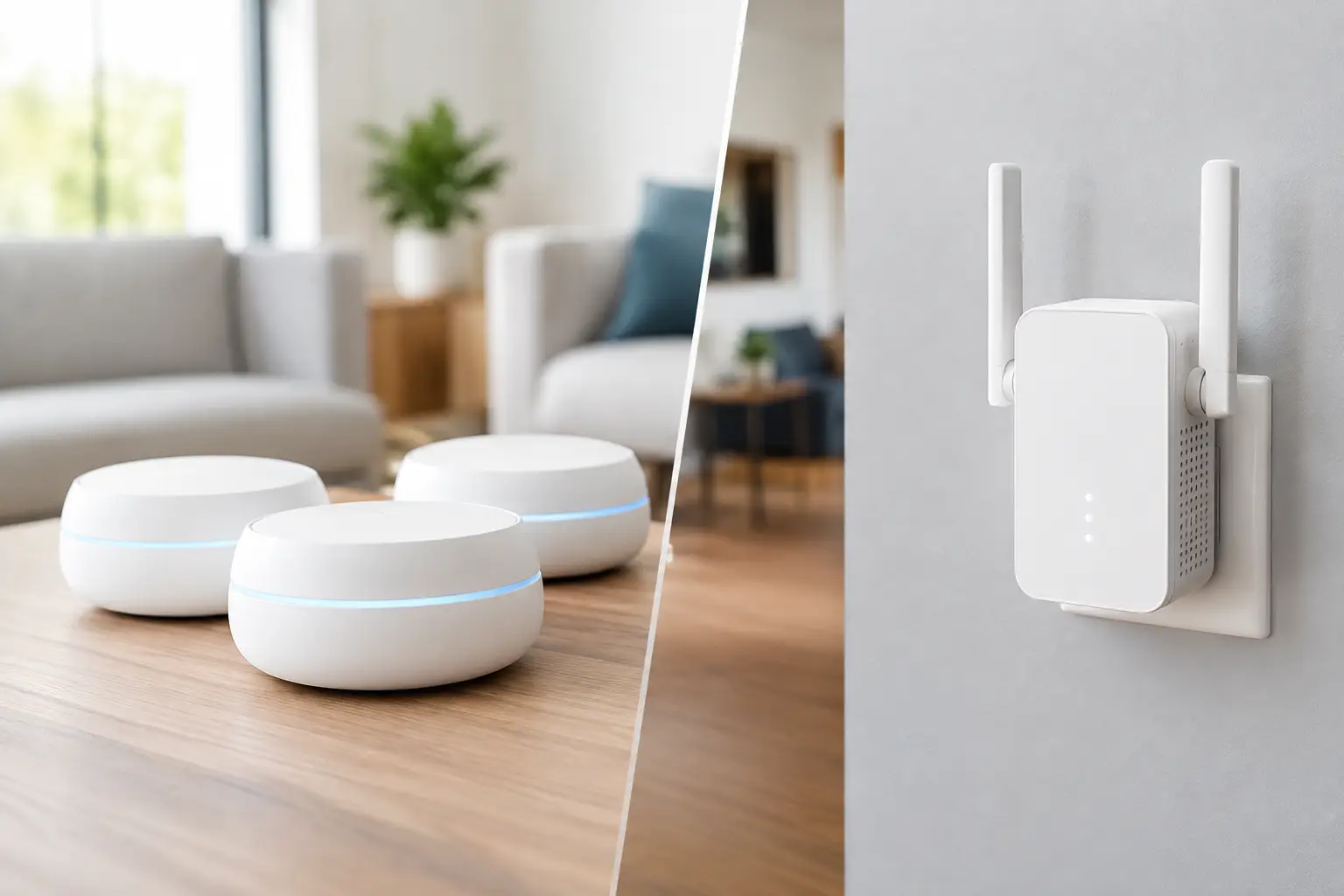

A weak WiFi signal rarely stays confined to one room. It shows up as a frozen video call in the home office, a movie that buffers halfway through, a printer that disappears, or a backyard security camera that drops offline. When comparing mesh WiFi versus range extender, the right answer depends on the layout of your property, how you use the connection, and whether the existing router is still capable of doing its job.
Both options can improve coverage. They do not improve it in the same way, and choosing the cheaper option first can become expensive in time, frustration, and repeat troubleshooting.
The basic difference between mesh WiFi and a range extender
A range extender, sometimes called a WiFi repeater, connects to your existing router and rebroadcasts its signal farther into the home. It is usually a single plug-in device. Place it roughly halfway between the router and the dead zone, connect it, and it can give phones, tablets, and smart devices a better chance of staying online.
A mesh WiFi system replaces, or works as, the main WiFi system. It uses a primary router plus one or more matching access points, often called nodes. Those nodes work together to cover a larger area under one network name. Instead of asking one router to push a signal through several walls, the system places WiFi closer to the rooms and devices that need it.
That difference matters when you move around the property. With an extender, your phone may remain attached to a weak signal longer than it should, or you may see a separate network name such as “HomeWiFi_EXT.” With a properly installed mesh system, devices generally transition between nodes with less interruption.
When a range extender is the sensible choice
A range extender is not a bad product. It is often the practical fix for a specific, limited problem.
If your router works well in most of the home and you only have one weak spot, an extender may be enough. For example, a single-story condo might have good coverage everywhere except a back bedroom. A small office may have reliable WiFi except near one conference room. In these situations, an extender can be a cost-conscious improvement without replacing equipment that still performs well.
It can also help with low-demand devices. A smart thermostat, garage door controller, or occasional-use tablet does not need the same speed and reliability as a workstation running video meetings all day.
The placement is critical. An extender installed inside the dead zone has too little signal to repeat effectively. It needs to sit where it still receives a solid connection from the main router, while being close enough to extend coverage toward the trouble area. This is where many do-it-yourself installations go wrong.
An extender may not be the right answer if it creates a new network name, cuts usable speed noticeably, or forces important devices to switch networks manually. Those are signs that the underlying coverage problem is larger than one device can solve.
Why mesh WiFi is better for larger or busier properties
Mesh systems are usually the better choice for larger homes, multi-level homes, detached offices, or small businesses with several active users. They are especially useful when the WiFi must support a mix of laptops, phones, TVs, printers, cameras, smart-home devices, and video conferencing at the same time.
A mesh setup helps because each node becomes a closer connection point. Rather than relying on a distant router at one end of the house, devices can connect to the nearest appropriate node. The result is often more consistent coverage in places where traditional WiFi struggles: upstairs bedrooms, converted garages, patio areas, and offices separated by dense walls.
For professionals working from home, consistency matters as much as download speed. A speed test taken next to the router can look excellent while an executive’s Zoom call drops in a far bedroom. Mesh WiFi is designed to reduce those weak zones and make movement around the property less disruptive.
Many mesh systems also make management easier. The homeowner can often see connected devices, create a guest network, pause access for a child’s device, and receive notices about firmware updates through one app. That convenience is useful, but it should not be the only reason to buy mesh. Coverage design and correct placement still determine whether the system performs well.
Wired connections make mesh even stronger
Wireless mesh nodes can communicate with each other over WiFi, but a wired connection between nodes is often better when available. This is called wired backhaul. It leaves more wireless capacity available for phones, laptops, and streaming devices.
If your home or office has Ethernet wiring, it may be possible to place mesh nodes exactly where they are needed and connect them by cable. In some properties, existing coaxial cable can also be adapted for network use. The best approach depends on the building and the equipment already in place.
Mesh WiFi versus range extender: the trade-offs
The comparison is not simply “cheap versus expensive.” A range extender has a lower upfront cost and may solve a narrow coverage issue quickly. Mesh costs more, but it is generally better suited to an entire property where multiple rooms, floors, or users need dependable service.
A range extender also depends heavily on the strength of the original router. If the router is outdated, poorly located, or overloaded, repeating its signal will not correct the real problem. You may gain a few bars of WiFi while still dealing with slow performance and dropped connections.
Mesh systems have their own trade-offs. They require more planning, more equipment, and proper node placement. Adding nodes indiscriminately does not guarantee better results. Too many nodes positioned too close together can create interference, while nodes positioned too far apart may have a weak connection between them.
Older homes present another complication. Plaster, brick, concrete, metal framing, mirrors, appliances, and even large aquariums can weaken wireless signals. A good network plan takes those physical obstacles into account instead of assuming a device advertised for a certain square footage will cover every corner.
Check the source before buying new equipment
Before deciding on a mesh system or extender, confirm that WiFi is actually the problem. Internet service issues, an aging modem, a failing router, a crowded wireless channel, or a computer problem can produce symptoms that look like poor coverage.
A few clues help narrow it down:
- If every device slows down at the same time, the modem, router, or internet service may be the issue.
- If only one laptop has trouble, that computer may need updates, virus removal, or a WiFi adapter check.
- If the problem occurs only in a certain room, coverage and placement are likely factors.
- If wired devices work normally while WiFi devices struggle, focus on the wireless network rather than the internet connection.
This distinction prevents a common mistake: buying new WiFi equipment to solve a problem caused by an old computer or unreliable internet service.
A practical way to choose
Choose a range extender when coverage is strong almost everywhere, the weak area is small, and the devices there do not require peak performance. It is also a reasonable first step when budget is tight and expectations are realistic.
Choose mesh WiFi when the problem affects several rooms, more than one floor, a detached workspace, or multiple people who rely on stable connections. It is usually the better long-term fit for households with heavy streaming, remote work, online learning, security cameras, and smart-home equipment.
For a small business, mesh may make sense when employees and customers need reliable access across suites or work areas. However, businesses with many users, sensitive data, or more demanding applications may need a more structured network with dedicated access points, wired connections, and proper security controls. Consumer mesh equipment is helpful, but it is not automatically the right answer for every office.
Installation is where performance is won or lost
The router should be out in the open, elevated when possible, and away from dense obstructions and electronics that cause interference. It should not be buried in a cabinet, placed on the floor, or hidden in the far corner of the building simply because that is where the internet line enters.
Mesh nodes should be placed where they can communicate well with one another, not merely where the signal is weakest. Extenders need the same thoughtful placement. After installation, test the rooms where the network matters most: the office, bedrooms, entertainment area, patio, and any location where cameras or smart devices are installed.
If your network is affecting work, security cameras, streaming, or daily communication, a hands-on assessment can save time. The IT Professionals can identify whether the answer is better placement, a router replacement, mesh WiFi, wired networking, or a fix to the device itself.
The best WiFi setup is the one you stop thinking about – because calls stay clear, devices stay connected, and the rooms you use every day work the way they should.