
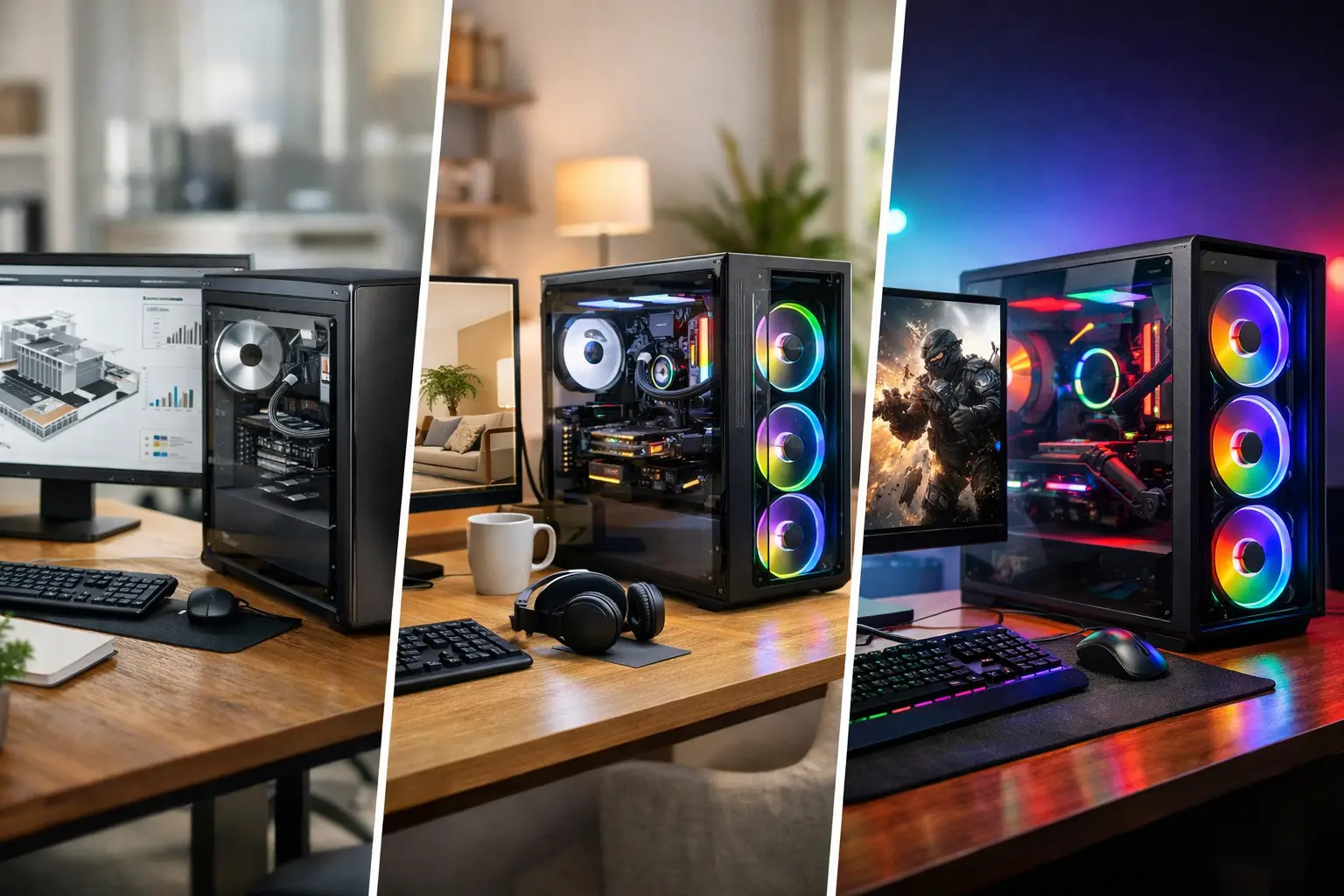

A computer that takes five minutes to start, freezes during video calls, or runs out of storage at the worst possible moment is more than an annoyance. It interrupts work, family plans, and business operations. A custom PC builder gives you a better alternative to buying a one-size-fits-all system: a computer selected and assembled for the way you actually use it.
For some people, that means a quiet and reliable desktop for email, accounting, and web browsing. For others, it means a workstation that can manage large spreadsheets, design files, video editing, or demanding business software without slowing down. A good build begins with those real needs, not with the most expensive parts on a shelf.
Why a Custom PC Builder Can Be the Better Choice
Store-bought computers can be perfectly reasonable for basic use, especially when the budget is tight and the requirements are simple. The problem is that many prebuilt systems make compromises you do not see until later. They may include a fast-looking processor but too little memory, a small solid-state drive, a weak power supply, limited upgrade room, or unwanted software that drags down performance from day one.
A custom-built computer puts the budget where it matters. If you work with large files, memory and storage speed may matter more than a high-end graphics card. If you are running multiple displays, need professional-grade graphics, or use CAD, photography, or editing software, the graphics card and cooling design deserve more attention. If the computer is for a home office, quiet operation and dependable backup options may be higher priorities than flashy lighting.
This approach also makes the system easier to maintain. Quality components from established manufacturers are generally easier to identify, replace, and upgrade than proprietary parts found in some mass-market computers. When a drive needs more capacity or a business adds more demanding software, you have a clearer path forward.
Start With the Job the Computer Must Do
The best custom PC is not automatically the fastest one. It is the one that handles your everyday workload comfortably, stays dependable under pressure, and leaves room for reasonable growth.
Home and office computers
A home or office desktop should open applications quickly, keep many browser tabs active without bogging down, support video meetings, and protect important files. In most cases, a modern midrange processor, sufficient memory, and a solid-state drive will make a much bigger difference than expensive gaming hardware.
For a small business, consider the full work environment. Does the system need two or three monitors? Will it run point-of-sale software, QuickBooks, remote access tools, or a local file-sharing setup? Does it need to remain on for long periods? These details affect component selection, ventilation, networking, and backup planning.
Creative and professional workstations
Photo editing, architecture, engineering, music production, 3D work, and video editing can place very different demands on a PC. A video editor may need fast storage for active projects and plenty of memory. A designer using graphics-intensive applications may benefit from a more capable GPU. An accountant handling massive spreadsheets may see greater value from processor performance and memory than advanced graphics.
It is easy to overspend in this category. Software requirements, file sizes, display resolution, and deadlines should drive the design. A properly balanced workstation is more useful than a system with one premium component surrounded by bottlenecks.
Gaming and multipurpose systems
Gaming PCs require careful balance between the processor, graphics card, memory, power supply, cooling, and monitor. A powerful graphics card is wasted if the rest of the system cannot keep pace. The target resolution and refresh rate matter, too. Playing at 1080p, 1440p, and 4K creates very different hardware needs.
Many customers also want one computer that can game after hours and handle work during the day. That is completely practical, but it should be planned honestly. A system for occasional gaming has a different price point than a machine meant to run new titles at very high settings for years.
The Parts That Matter Most
A custom PC builder should explain what each major component does in plain language and why it belongs in your particular system. You do not need to memorize model numbers. You do need to understand where your money is going.
The processor is the computer’s main decision-maker. It affects general speed, multitasking, and performance in many professional applications. Memory, also called RAM, determines how well the computer can keep programs and files active at once. Too little memory often causes the slowdowns people blame on the processor.
Storage is another area where practical choices matter. A solid-state drive makes a major difference in startup time and daily responsiveness. Many systems benefit from a fast primary drive for Windows and applications, plus additional storage for photos, videos, project files, or backups. The right amount depends on your files, not just the number printed on a product box.
The graphics card handles visual output and specialized graphics tasks. It is essential for gaming and can be valuable for certain professional programs, but it is not necessary to overspend on one for email, web use, and typical office work. The power supply, case airflow, and cooling are less exciting, yet they play a major role in stability and component lifespan. Cutting corners there can lead to noise, overheating, or unreliable performance.
Budget for Reliability, Not Just Speed
A realistic budget should include more than the tower itself. Displays, a keyboard and mouse, surge protection, backup storage, operating system licensing, data transfer, and setup all affect the final result. If an older computer contains years of documents, photos, email archives, or business records, moving that data safely deserves attention before the old system is retired.
There is also a difference between saving money and buying the least expensive option. A lower-cost system may be right for light use. However, a system that is already near its limits can become frustrating quickly if your needs change. Spending a little more on memory, storage capacity, or a quality power supply can prevent an early replacement.
At the same time, not every build needs to be prepared for every possible future task. Paying for extreme gaming performance when the computer will primarily run bookkeeping software is not a smart investment. Honest advice means identifying the useful middle ground.
Setup Is Where Many Problems Begin
Even high-quality components can cause trouble if the system is assembled or configured poorly. Cable routing affects airflow. BIOS settings can affect memory performance and stability. Drivers need to be installed correctly. Windows should be updated, secured, and cleared of unnecessary trial software. A new computer should also be tested before it becomes the primary machine for work or home use.
Then there is the transition from the old computer. Files need to be moved and verified. Printers, scanners, cameras, external drives, email accounts, passwords, shared folders, and business applications may all need attention. A custom computer is only truly ready when it works with the equipment and routines you rely on every day.
For Southern California homes and small businesses, The IT Professionals can build and set up a system around those real-world requirements, with direct guidance from Frank instead of vague sales language. That matters when you need a technician who can address the computer itself as well as the network, displays, peripherals, and data that make it useful.
Plan for Protection From the First Day
A new PC should not begin its life without a protection plan. Hardware failures, accidental deletion, ransomware, theft, and power issues can affect anyone. Important data should exist in more than one place, and backups should be checked occasionally to make sure they can actually be restored.
Security is equally practical. Keep the operating system and software current, use reputable protection, set up strong account passwords, and be cautious with unexpected attachments or login prompts. For businesses, separate user accounts and appropriate access controls can reduce the damage from mistakes or compromised credentials.
A custom build creates a clean starting point. Keeping it clean through updates, backups, and occasional maintenance protects the investment far better than waiting for the first emergency.
Questions to Ask Before Approving a Build
Before a computer is ordered or assembled, ask what the system is designed to do, which parts are being selected, and where future upgrades are possible. You should also ask how your files will be transferred, how the system will be tested, and what support is available if something does not work as expected.
A trustworthy technician will not push every customer toward the same expensive configuration. They will ask about the programs you use, the problems with your current computer, the files you need to keep, your budget, and how long you expect the system to serve you. Those answers are the foundation of a computer that feels right from the first day.
The right PC should quietly make your work easier, your home technology less frustrating, and your next upgrade less urgent. Start with the problems you need solved, and let the hardware follow.